Micro:Bit — gestures
Shake, flip, tilt and drop your micro:bit

Your micro:bit has an on-board accelerometer, which detects how its moving in roll (rocking side-to-side), pitch (tipping front-to-back), and a third direction we’ll call ‘plummeting towards the ground because you dropped it.’

You’ll find rotation under input, then More.
Try something like this:
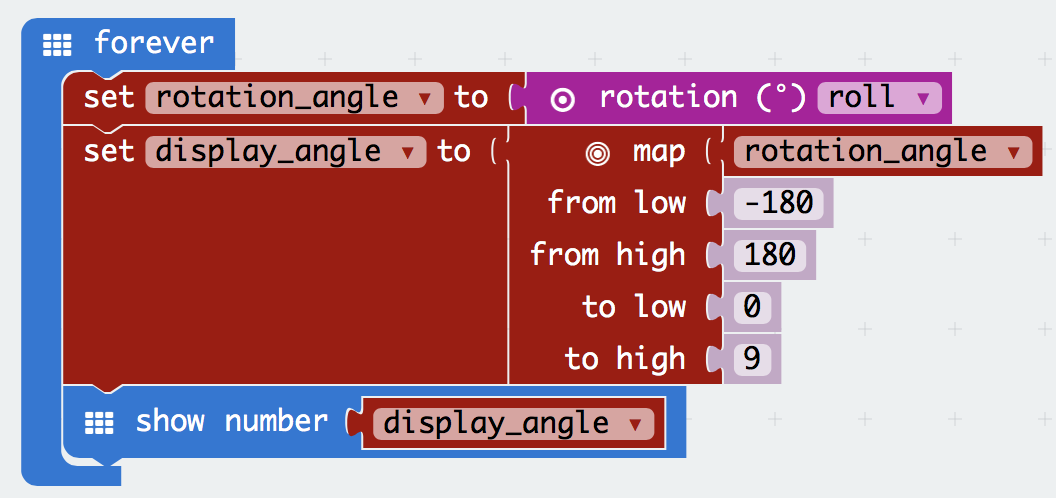
Lots of new bits there. Some hints:
Variables, then the set item to block, and change the name of item.Variables are like little notes your micro:bit keeps for itself. It can put numbers into a named variable, then retrieve the number elsewhere in your program.Variables tab remembers all the different things you’ve named, so you can drag them into your program.rotation is in Input, then More.map is amazing. It takes a number within a range… and gives you back a number in a different range. A bit like converting miles to kilometres. Here, we’re using it so the number always fits on the screen.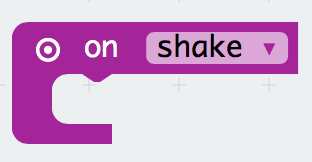
Explore the Input tab: there are loads of possibilities. On shake is one of our favourites – try out a few of the options.
Next, try the Servo page, and see if you can get your micro:bit controlling a little motor.
Rotation at the official micro:bit documentation.On Gesture at the official micro:bit documentation.