Micro:Bit — LED
Attach an LED light to your micro:bit

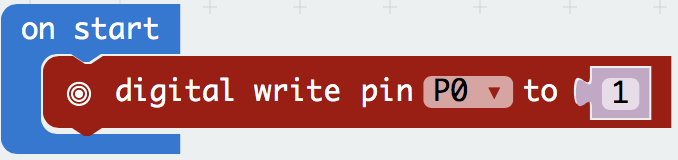
You’ll find the Pins controls under ‘Advanced’ in the micro:bit editor.
‘digital write’ just means ‘turn on or off’:
0 : means ‘off’
1 : means ‘on’
You can use this to turn things like LEDs on and off. Connect them to your micro:bit, and use the digital write block to control them.
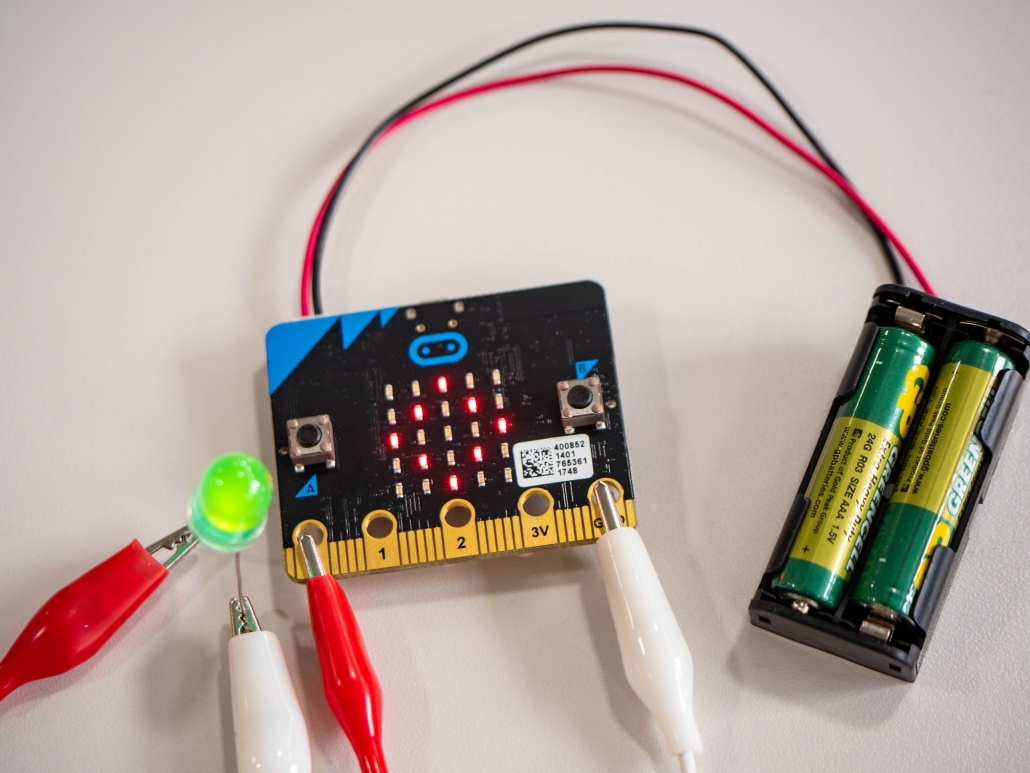
Not obvious in the picture: an LED has two legs, one of which is longer than the other. Connect the short leg to the connector on your micro:bit labelled ‘GND’ (the white lead in the photo below).
You could try using buttons to turn your LED on or off.